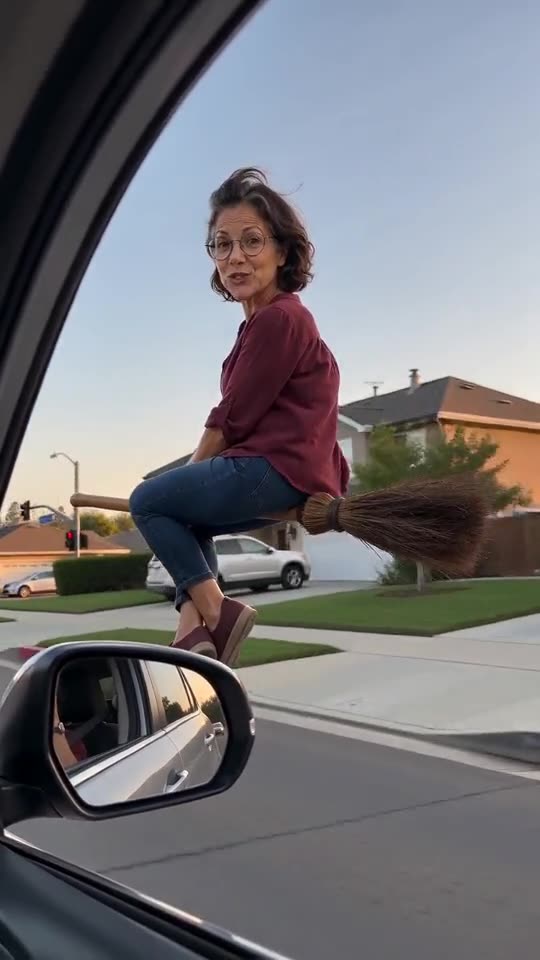
Why doesn't the rider look like me in my broom video?
Updated:
Short answer
The model drifts when it can't see the face properly. Send a sharp, bright, front-facing photo in which the face takes up roughly a third of the frame, remove sunglasses and heavy filters, and, if your free 5-second preview is unused, test the photo there first. Runs vary a little.
Why it happens
- Face too small: a full-body or group shot leaves it only a few pixels.
- Heavy filters: the model gets a face that isn't yours.
- Dark or turned-away shots: it fills in the missing half by guessing.
- Sunglasses, hats, masks: they cover the features it relies on.
A fast routine
- Pick a replacement that follows the photo guide.
- Run it through the preview if you still have yours. If not, a new full render is 1 credit. Compare it against your original photo, not against your memory of it.
- No luck? Send the video link to support@ozil-goal-ai.app.
Questions people ask
My face changed. Did the render fail?
No. A failed render never finishes, and its credits come back by themselves. A finished clip with another face is just a weak result.
Do I need a better phone?
Rarely. Window light and a straight-on angle matter more than megapixels.
Can I add a second photo of me to help?
No. There's one photo slot, so use the clearest shot you have.
Hop on the broom yourself
Upload a photo and get your own flyby. Full videos come without a watermark, and there's no plan to sign up for.
Make my video