What are the steps to make a My Ride Is Here video with AI?
Updated:
Short answer
Add one clear rider photo, choose a place, an outfit and an ending, and Ozil Goal AI builds the broom scene around it. Check the 5-second preview, then pay 1 credit for the 10-second 720p version. You write nothing, and the page can stay closed while it renders.
Step by step
- Open the generator from the template page. Add your Rider photo there.
- Choose the setup. Keep the defaults, or change the place, the outfit and the ending.
- Choose the shape. 9:16 is the TikTok, Reels and Shorts format, while 16:9 suits YouTube and desktops.
- Give consent, sign in with Google and start the preview (5 seconds, 480p).
- Render the full clip for 1 credit, then save the MP4 to your device.
What's already settled
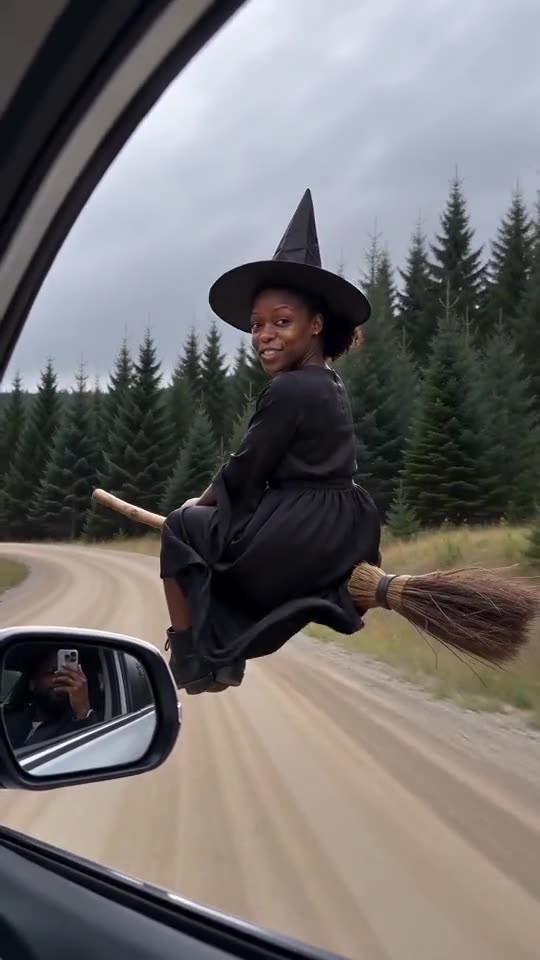
The car's-eye view, the broom outside the window, the glance back and the order of the beats come built in. You bring a photo, a shape and three presets. A prompt never enters the picture.
Faces, motion and sound still vary from run to run, so treat the preview as your cheap test. If the first result misses, change the photo before touching anything else.
When the render ends
Find the clip in My videos, where it can be downloaded or shared by link, which is handy for asking friends which ending to post. Ozil Goal AI is independent, and the people who started the trend have no tie to it.
Questions people ask
Must I write a prompt?
No. The scene is fixed. You add a photo and pick a shape and three presets.
Do I have to keep the tab open?
No. Rendering carries on in our systems, and the file turns up in My videos.
Portrait or landscape?
Portrait 9:16 for TikTok, Reels and Shorts. Landscape 16:9 for YouTube and desktops. The preview handles both.
Hop on the broom yourself
Upload a photo and get your own flyby. Full videos come without a watermark, and there's no plan to sign up for.
Make my video