Making a Hit the Road Dude video with AI: what are the steps?
Updated:
Short answer
Upload one sharp driver photo, choose a vehicle and a place, and Ozil Goal AI handles the rest. Look over the 5-second preview, then pay 1 credit for the 15-second 720p version with spoken lines. No prompt. Leave the page whenever you want while it renders.
Walkthrough
- Open the generator from the template page and add your Driver photo.
- Choose the setup. Keep the defaults, or switch the vehicle and the place.
- Choose the shape. 9:16 is made for TikTok, Reels and Shorts, and 16:9 suits YouTube and computers.
- Say who's driving in the quick selector, tick the consent box, then sign in with Google.
- Start the preview (5 seconds, 480p) and look at the face and the speech.
- Render the full clip for 1 credit and save the MP4 when it lands.
What's already locked in
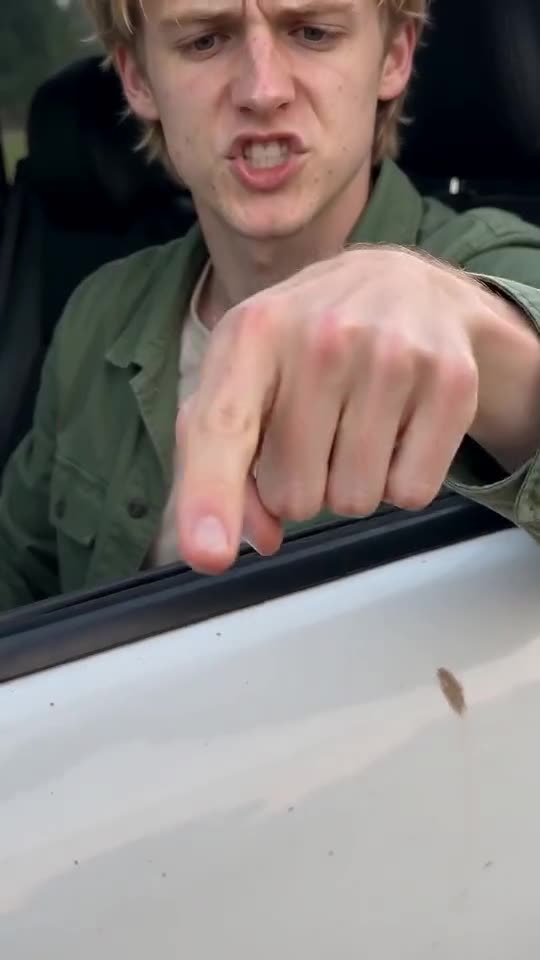
Handheld angles, finger jabs, the arm that sweeps toward the road and every spoken line belong to one fixed scene. Vehicle and place are presets. Prompts aren't part of it at all. All your photo decides is who's driving.
The dialogue always lands in the same order, which is why you get the meme and not some random video. Expect faces, voices and movement to shift between runs, though. If a first result misses, change the photo before you change anything else. The photo does most of the work.
When the render ends
You'll find the clip in My videos, where it can be downloaded or shared by link. To swap in your own audio before posting, see the sound guide. Sharing by link is handy when you want feedback before you post.
Ozil Goal AI is independent. The original poster has no link to it.
Questions people ask
Is writing a prompt part of this?
No. Scene, camera and dialogue are set in advance. You bring a photo and choose the shape.
Could I rewrite what the driver says?
No, the dialogue is built into the template and there's nowhere to type. Only the first line moves, with your choice of place.
Does it keep going if I shut the tab?
Yes. Rendering happens on our servers, and the file turns up in My videos.
Vertical or wide?
9:16 is for TikTok, Reels and Shorts. 16:9 fits YouTube and computer screens. Previews work in either.
Your turn in the driver's seat
Upload a single photo and your own version comes back, with no watermark and no plan to sign up for.
Make my video