My Ba Ba Ba Dance AI dancers stand in the wrong places, what now?
Updated:
Short answer
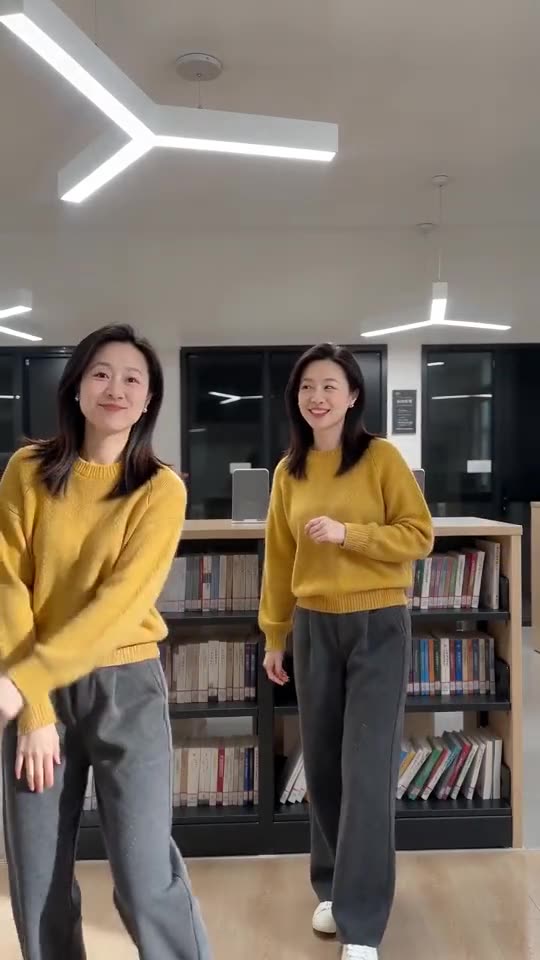
Roles are set by the picture boxes. Box one is the Left dancer (starts on the left, solos second); box two is the Right dancer (starts on the right, solos first). If the result is reversed, use Swap photos in the generator and confirm with a 5-second preview run.
What causes it
- Pictures in the wrong boxes: by far the commonest cause.
- Similar-looking people: matching hair and clothes are easy to mix up.
- One picture twice: a clone makes both dancers look alike on purpose.
The remedy
Check the labels over the boxes, swap pictures that sit in the wrong one, and try a preview. If the two still blend, choose pictures with different colours. The role names sit next to each box in the generator.
Questions people ask
Where do I find Swap photos?
Under the two picture boxes in the generator, and it works once both pictures are in.
Does swapping cost credits?
It only rearranges the inputs before a run begins.
Can I change roles on a finished video?
No, a finished video stays as it is. To switch roles, begin a new run with the pictures exchanged.
Create your own Ba Ba Ba Dance clip
Add two pictures and receive a 15-second HD clip from $8.88. Nothing renews, and the finished file has no watermark.
Make my video