How do I get sound into my Biker Birthday Cake video?
Updated:
Short answer
The sound on the Reel we follow (@mira__98kr) is unverified, because we could not identify it. The dependable route is Instagram: open that Reel, tap its audio name, pick Use audio and begin at 0 seconds so the arrival and the candles line up. In TikTok, any birthday sound fits.
What the file already contains
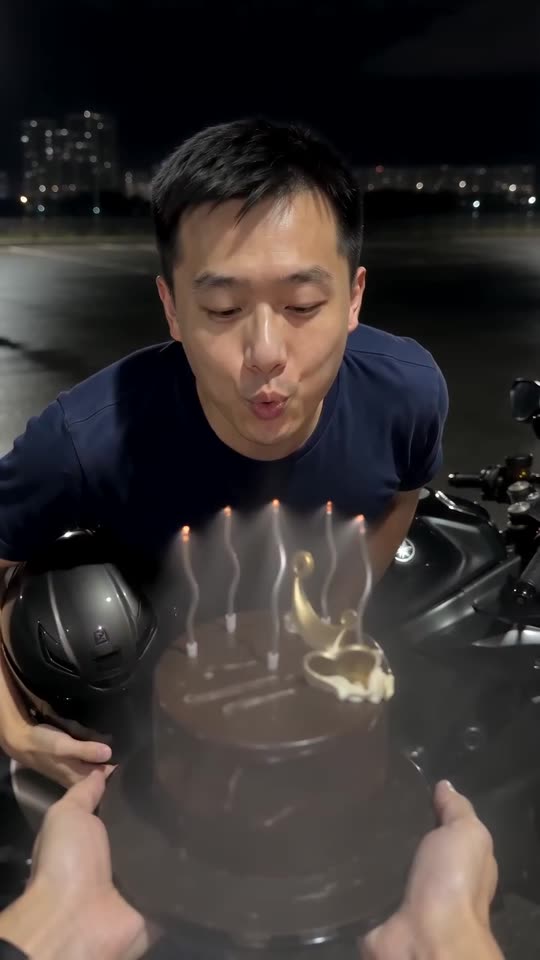
An AI-made motorcycle engine, a breath over the candles and gentle music. Nobody speaks or sings. A copy with no sound is available too.
When it drifts
- Set the sound to start at 0 seconds.
- Work from the silent download.
- The clip lasts just 7 seconds, so cut a long song down to the part you like.
Seven seconds, five beats
The clip is short, so every beat matters. The headlight shows up in the first two seconds, the bike stops behind the cake just after 2, the helmet comes off between about 2.7 and 3.7, the candles go out near 5, and the last second and a half freezes in black and white. Put the biggest swell of your sound on the candles rather than on the arrival.
How to add the original sound in TikTok
Short version: download your video, open the original clip in TikTok, tap its sound name, choose Use this sound and add your video. The full tutorial with a video is on the template page.
Questions people ask
Is it all right to put the Happy Birthday song under it?
If your app offers it, yes. Since our video has no singing, there is nothing to clash with.
Why is the Reel's audio missing from my file?
That audio is someone else's work. The proper way to use it is inside Instagram, which lets you reuse a Reel's sound.
What audio is baked into my video?
An AI-made engine, a puff of breath over the candles and gentle music. Nobody speaks or sings.
Send someone a Biker Birthday Cake video
Pick one photo. Every pack includes bonus previews, so you can check your photos before spending a credit. There is no subscription, and your finished video is free of watermarks.
Make my video