Turning one photo into a Cardo Dinner video
Updated:
Short answer
Provide a photo of a single adult or pet looking at the camera, decide whether to touch the four presets, and the template stages the whole dinner. Test a bonus preview, then spend 1 credit on the full 10-second clip.
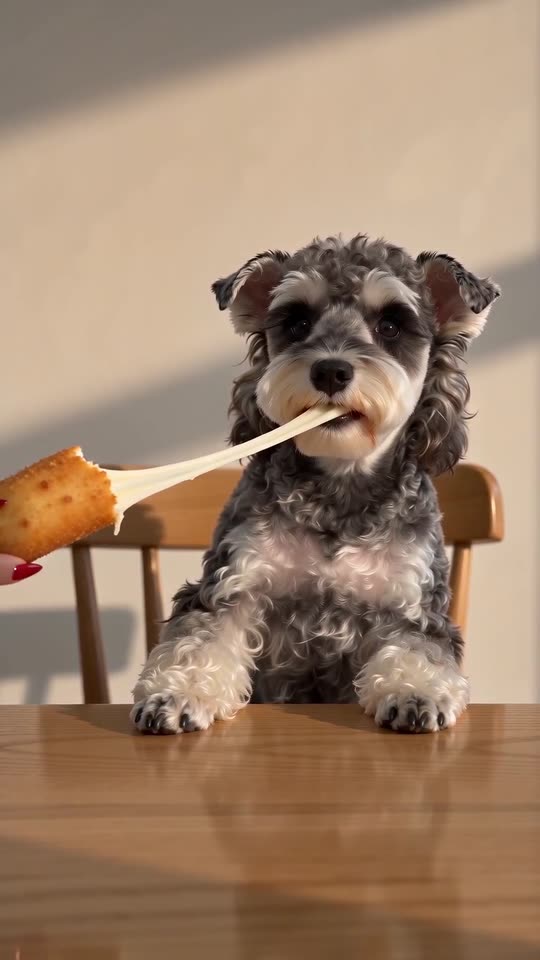
Photo to table, step by step
- Open the generator on the template page. Fill the diner box with a crisp picture of a single adult or pet, eyes open and head and shoulders showing.
- Add a feeder if you like. The second box is optional, and only the hand and arm are used.
- Choose the table and the snack. The defaults are a home dining room and a fried mozzarella stick. Five other tables and four other snacks are on offer.
- Choose the nails and the light. Red nails and warm light are the defaults, and each has four other options. Pick 9:16 or 16:9.
- Give consent and sign in with Google.
- Check a bonus preview (5 seconds, 480p) for the face and for the cheese.
- Render the full clip. It takes 1 credit and lands in My videos as an MP4.
The beats built in
The first two seconds are the empty table, the next two are the hand arriving, the following four are the bite and the stretch, and the last two are the snap and the nod.
Once it has rendered
Grab the MP4, or a share link, from My videos. Any sound you like can be added inside TikTok.
Cardo Dinner, answered
Is any typing needed?
No. Camera and beats are locked in. You supply a photo and pick presets.
Does a full-length photo work?
Yes, if the face stays sharp. Chest-up is plenty, since the diner is seen from the table up.
Is it safe to close the page mid-render?
Yes. The job continues on our servers and the video is saved to My videos under your account.
Dinner is served
One photo in, one dinner clip out. The full video has no watermark, and no subscription is involved.
Make my video