Why did the face change in my I Wanna Love You video, and how do I fix it?
Updated:
Short answer
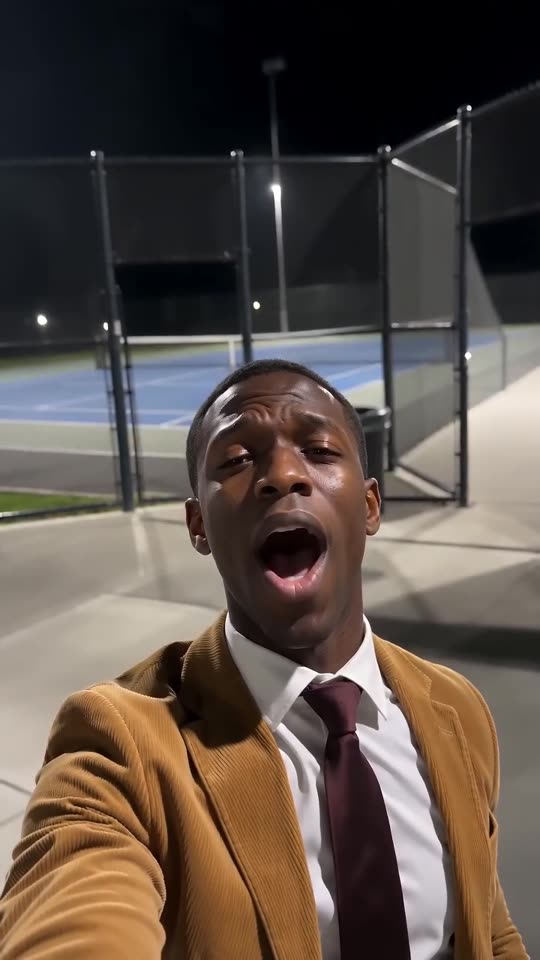
Faces drift when the model can't read yours, and this trend's low selfie angle and open mouth stretch things even more. Use a sharp, bright, front-facing photo with the face filling a third of the frame. Skip sunglasses and heavy filters, then rerun the 5-second preview before spending credits.
Usual causes
- A tiny face: full-body or group shots leave the face too few pixels.
- Filters and beauty apps: the model meets a face unlike your real one.
- Dark or side-on shots: with half a face showing, the model guesses the other half.
- Open mouth, low angle: belting from below briefly reshapes the face. It is part of the look and settles.
A quick routine
- New photo, following the photo guide.
- Run the preview. Compare the face with your photo.
- Render the full video only then, since every full render costs 1 credit.
- Stuck? Write to support@ozil-goal-ai.app and include the video link.
Questions people ask
Does a changed face mean the render failed?
No. Failed means unfinished, and credits return by themselves. A finished video with a new face is a normal outcome.
My cat turned out the wrong colour. Why?
Yellow or dim light changes how fur looks to the model. Daylight shows true colours and markings.
Can I send more than one photo?
No. One photo per run, so choose the clearest.
Serenade the camera your own way
Add a photo. Every pack includes bonus previews, so you can check your photos before spending a credit. The finished video has no watermark, and there is no subscription.
Make my video