Making a Lorenzo Zurzolo trend video from one photo, step by step
Updated:
Short answer
Add a sharp photo of one adult, choose night setting, day setting and outfit, and Ozil Goal AI builds both shots. A 5-second bonus preview lets you test it; 1 credit then buys the 6-second 720p video, ready for your TikTok sound. No prompt needed.
Step by step
- Start on the template page, where one upload box waits. Both shots are close-ups, so everything rides on your face: pick a sharp, front-facing picture of one adult, shoulders up or tighter. Groups, pets, toys and minors are refused; JPG, PNG or WebP, 10 MB max.
- Choose the look. For night take the lamp-lit terrace (tested default), a dim living room or a rooftop; for day, stand seats (default), a school courtyard or a seaside promenade; for clothes, your own, a black sweater, a white tee or a navy shirt. The price never moves.
- Shape: vertical (9:16) suits TikTok, Reels and Shorts, wide (16:9) suits YouTube and desktop screens.
- Consent, then login: tick the consent box and sign in with Google. No credits yet? A pack includes a preview.
- Inspect the preview (5 seconds, 480p). Is the face the same in both shots? No cigarette, no second person?
- Render. One credit produces the 6-second 720p MP4, watermark-free, kept in My videos.
- Sound. Add yours in TikTok.
Anatomy of the clip
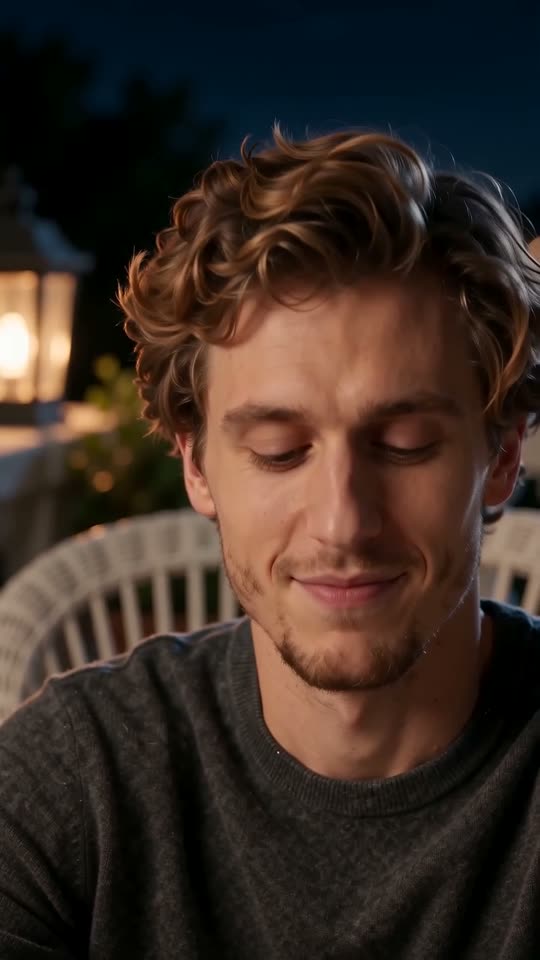
The camera stays locked. First you look aside, close your eyes and tilt your head (0 to 1s), then smile sleepily and murmur (1 to 3s), then sit up and smirk straight at the lens (3 to 4s). A hard cut drops you into daylight: quiet talk and a sideways glance (4 to 5s), then a slow turn toward profile (5 to 6s).
What taxes the AI most is keeping one face across the cut and the change of light. Slight drift in shot two happens, and counts as a miss, not a broken render. Hands never come into it.
Saving it
My videos holds the MP4 to download and a link to share. The scene follows the single-picture stretch of one TikTok post in our notes (roughly 2 to 8s of its 26s); the remainder of that post is a tutorial. Sound steps are in the sound guide.
Ozil Goal AI stands apart from TikTok, CapCut and the actor in the trend; it is independent and unaffiliated.
Questions people ask
Do I write any prompt?
No. Two settings, a locked camera and the order of beats are all preset; you give a photo and choose the options and the format.
Is it OK to walk away mid-render?
Yes, rendering goes on without you, and the result appears in My videos on your account.
Which shape do I want?
Vertical 9:16 for TikTok, Reels and Shorts, wide 16:9 for YouTube and desktop; the bonus previews work in both.
Your face in the Lorenzo Zurzolo trend video
Upload a photo, get 6 seconds of HD from $8.88. Nothing renews; the finished video is watermark-free.
Make my video