How do you turn a photo into a Money Flex video with AI?
Updated:
Quick answer
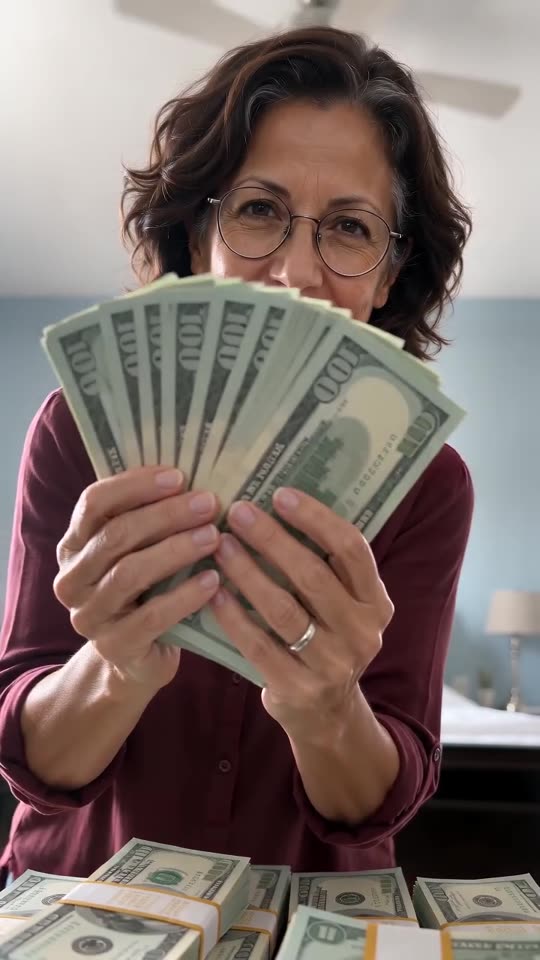
Give Ozil Goal AI one picture of yourself, an adult friend or your pet and pick a room. You see a bonus 5-second preview before any credit is spent. After that, 1 credit renders the 10-second 720p version, and you put a trending sound on it when you post. Typing a prompt is never required.
Seven small steps
- Start at the generator on this page and add your picture.
- Choose a room. The bedroom with a ceiling fan is the default, with other rooms to switch to. Bill colour, table extras and outfit are optional.
- Choose a shape. Vertical 9:16 works for TikTok, Reels and Shorts; wide 16:9 for YouTube and computers.
- Confirm consent for the photo, then sign in with Google.
- Check a bonus preview (5 seconds, 480p) for the face and the pile of notes before the full render; every pack includes them.
- Pay 1 credit for the full render and save the MP4 file.
- Put a trending sound on it inside TikTok or Reels using Add sound, beginning at 0 seconds.
What's already built in
The low camera, the room, the heap of play money and the four moves arrive as one finished scene paced to the template.
Because those moves always arrive in the same order, you get the trend itself rather than a random clip. Faces and hands still shift slightly from one render to the next.
After the render
The finished clip lands in My videos, ready to download or share by link. Read the sound guide before posting to pick your audio.
Ozil Goal AI works on its own and has no tie to whoever made the first clips.
What people ask about Money Flex
Is typing a prompt part of this?
Never. The scene and the camera are preset. You supply a picture, a room, an outfit and a format.
Should I gather cash or props?
No, the notes are generated. A plain picture with a visible face works best.
Can I close the tab mid-render?
Yes. Our servers keep going, and the clip lands in My videos under your account.
Which format is better?
Use vertical for TikTok, Reels and Shorts, and wide for YouTube or a desktop screen. The bonus preview is available in both.
Your turn to flex
Send one picture. Every pack includes bonus previews, so you can check your photos before spending a credit. There is no subscription, and your finished video carries no watermark.
Make my video