Turning one photo into a Nestle Crunch style ad clip
Updated:
Short answer
Provide a photo of one adult or pet looking at the camera, decide whether to touch the three presets, and the template stages the whole take. Watch a bonus preview, then spend 1 credit on the 6-second 720p clip.
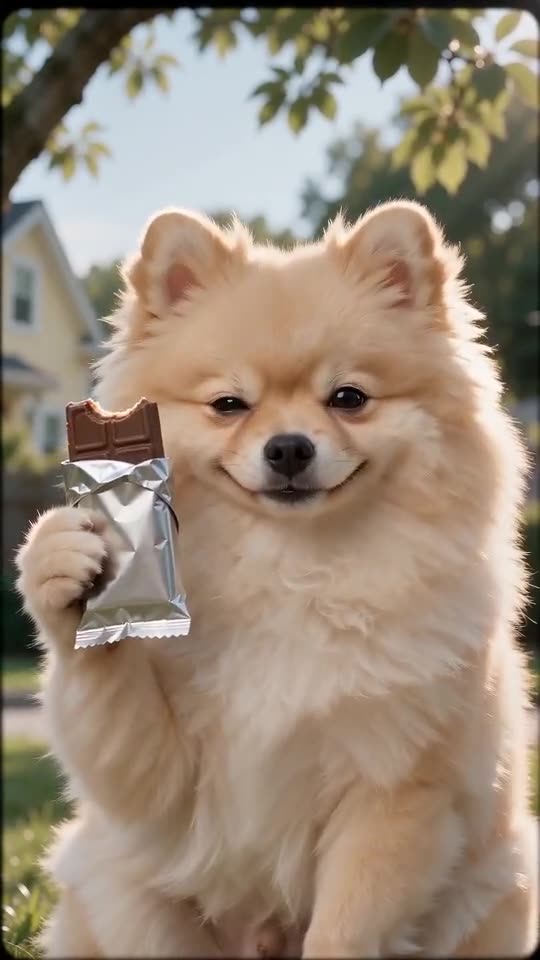
Photo to big bite, step by step
- Go to the template page. A single upload box waits there. Fill it with a crisp picture of one adult or pet, eyes open, head and upper chest in view.
- Choose the snack. A chocolate bar is the default, and five others are on offer.
- Choose the era look and the setting. The defaults are 80s VHS and a sunny backyard.
- Pick a shape. Choose 9:16 or 16:9.
- Give consent and sign in with Google.
- Check a bonus preview (5 seconds, 480p) for the face and for a wrapper without words.
- Render the full clip. It takes 1 credit and lands in My videos as an MP4.
The take built in
A tripod holds the camera at chest height. The bite lands at about 2s and the chew runs to about 4s, leaving the last stretch for the turn and the grin. An animal stays seated upright and handles the snack with its front paws.
Once it has rendered
Find the MP4 and a share link in My videos. Any sound you like can be added inside TikTok.
Nestle Crunch AI Ad, answered
Is any typing needed?
No. Camera and beats are locked in. You supply a photo and pick presets.
Why must the hands be empty?
Because the snack is added for you. A phone or a drink in the photo can end up in the clip.
Must I stay on this page?
Yes. The job continues on our servers and the video is saved to My videos under your account.
Take the big bite
One photo in, one retro ad clip out. The blank wrapper carries no brand, the video has no watermark and nothing renews.
Make my video