Turning one photo into a New Year 2027 summit video
Updated:
Short answer
Provide a photo of a single adult or pet looking at the camera, decide whether to touch the four presets, and the template stages the whole climb. Test a bonus preview, then spend 1 credit on the full 6-second clip.
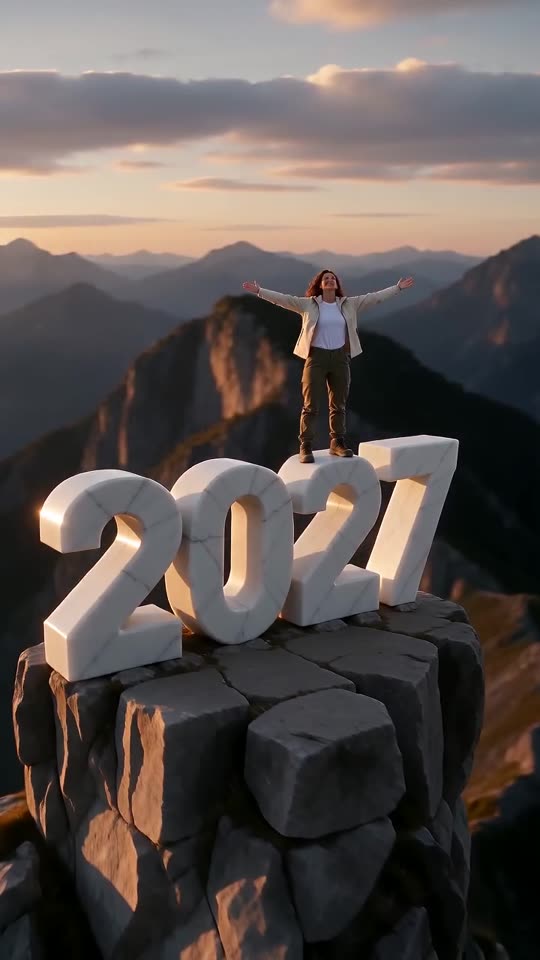
Photo to summit, step by step
- Open the generator on the template page. One upload box is all there is. Fill it with a crisp picture of a single adult or pet, eyes open and head and shoulders showing.
- Choose the light and the place. The defaults are a golden sunset on a mountain peak. Five other kinds of light and four other places are on offer.
- Choose what the digits are made of. Marble is the default, and four other materials are available.
- Choose an outfit and a shape. Keep the clothes from your photo or switch to one of five outfit presets. Pick 9:16 or 16:9.
- Give consent and sign in with Google.
- Check a bonus preview (5 seconds, 480p) for the face and for the number on the last frames.
- Render the full clip. It takes 1 credit and lands in My videos as an MP4.
The beats built in
The first two seconds are the climb, the next second is the pull-up and stand, the following second and a half hold the open arms, and the closing second and a half is the pull-back that reveals 2027.
Once it has rendered
Grab the MP4, or a share link, from My videos. The source posts rely on their own voice-overs, and our clip does not follow them. Any sound you like can be added inside TikTok.
Questions people ask
Is any typing needed?
No. Camera and beats are locked in. You supply a photo and pick presets.
Does a full-length photo work?
Yes, if the face stays sharp. Waist-up is plenty, and whatever you wear in the photo appears in the clip.
Is it safe to close the page mid-render?
Yes. The job continues on our servers and the video is saved to My videos under your account.
Stand on top of your own 2027
One photo in, one summit clip out. The full video has no watermark, and no subscription is involved.
Make my video