Turning one photo into a Robot Girl clip
Updated:
Short answer
Provide a photo of one adult from head to waist or lower, pick a story and a look, and the template stages the whole scene. Watch a bonus preview, then spend 1 credit on the 10-second 720p clip.
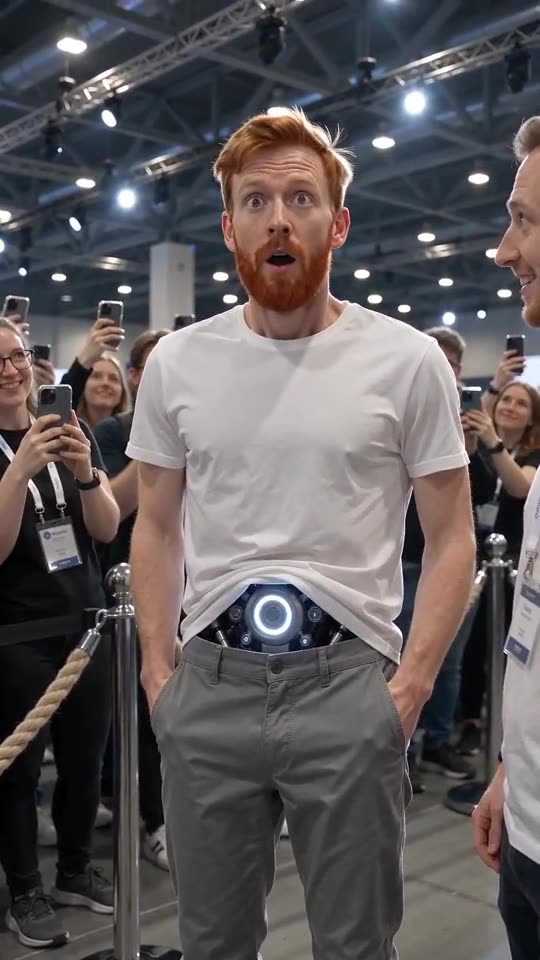
Photo to android, step by step
- Open the generator on the template page. One upload box is all there is. Drop in a crisp picture of one adult that reaches at least the waist, with the face clear.
- Choose the story. The first hug is the default, and five others are on offer.
- Choose place, core and outfit. Out of the box you get the tech expo, a silver-blue core and your own clothes.
- Pick a shape. Choose 9:16 or 16:9.
- Give consent and sign in with Google.
- Check a bonus preview (5 seconds, 480p) for your face and for the glow at the waist.
- Render the full clip. It takes 1 credit and lands in My videos as an MP4.
What the story decides
Every story is one handheld shot among people holding up phones. What changes is who steps forward, what they say and what the android does with her hands, so the pockets story looks nothing like the hug.
Once it has rendered
Find the MP4 and a share link in My videos. A silent copy sits beside it if you want to replace the spoken lines.
Robot Girl, answered
Is any typing needed?
No. Camera and beats are locked in. You supply a photo and pick presets.
Does a coat or a held phone matter?
Yes. Anything covering the waist hides the spot where the core appears, so choose a plain top and keep your hands clear.
Must I stay on this page?
Yes. The job continues on our servers and the video is saved to My videos under your account.
Become the android
One photo in, one expo clip out. The finished video has no watermark and nothing renews.
Make my video