Which sound goes with Fridge POV Tiramisu AI, and how do I put it on?
Updated:
Short answer
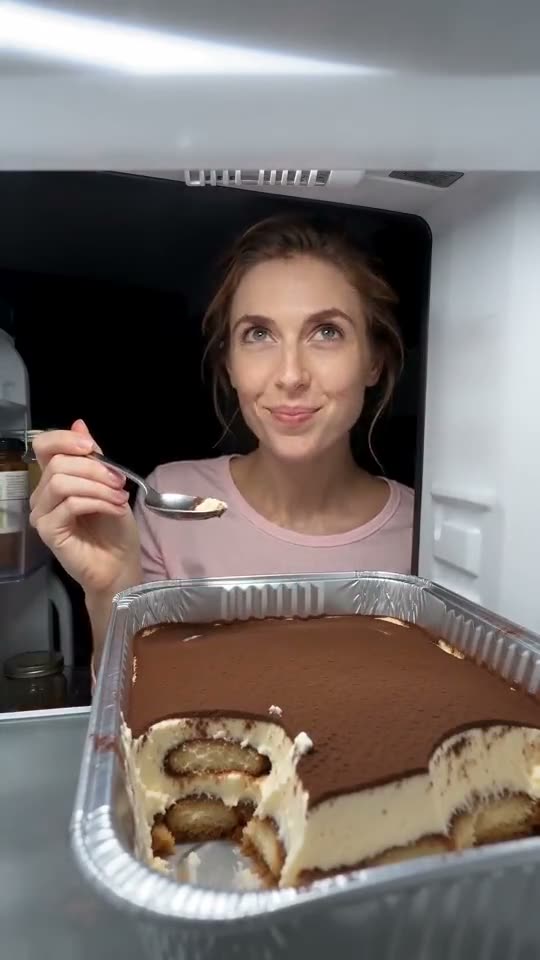
The source TikTok is set to “original sound - Noah Pranks”, a creator's own recording and not a song. What comes with our video is an AI track made of fridge hum and spoon clinks. To use the original, open that TikTok, tap its sound and begin it at 0 seconds, or save the silent file first.
What you hear from us
A fresh AI soundtrack made with the video: fridge hum, a spoon tapping foil, soft chewing and a faint instrumental pad. Because the model composes it, it changes per run and can slip in an invented hum, sigh or voice. It is a different recording from the original.
Using the original sound in TikTok
- Save the silent file from My videos.
- Open the source TikTok, tap the sound name along the bottom edge and press Use this sound.
- Upload your video and begin the sound at 0 seconds, so the first scoop falls on its opening beat.
- Cut the sound to 8 seconds and post.
Why we leave it out
Its owner is whoever uploaded it, and TikTok may restrict or remove a creator's sound. Our file contains only AI sound, and choosing the original inside TikTok keeps the licence clean.
How to add the original sound in TikTok
Your video comes with an AI-made soundtrack. If you would rather use the trending sound, add it inside TikTok when you post. You can also save a copy without sound from My videos (Download without sound) and put the original sound on that.
- Open this clip in TikTok: our video follows it. Tap the sound name at the bottom, then tap Use this sound.
- Tap Upload and pick the video you downloaded from us.
- Open Volume and turn the video's own sound down to 0, or use the Download without sound copy from My videos.
- To line up the beat, use the scissors (trim) so the sound starts at 0 seconds, then post.

Need to move where the sound starts? This short video shows how to trim it.

Video: How To Trim Sound On TikTok 2026 (Very Easy) by Software Solutions on YouTube
What people ask
Is that a released song?
No; it is a creator's own TikTok recording named “original sound - Noah Pranks”.
Is the AI soundtrack usable as it is?
Yes. Take the silent file when you want only your own sound.
Is the sound's creator part of this site?
No. Ozil Goal AI is independent and has no tie to whoever made the sound or the source post.
Your face behind the tiramisu tray
Send one photo, get 8 seconds of HD back, starting at $8.88. Nothing renews, and the finished file has no watermark.
Make my video