How do I add the original sound so the poses line up?
Updated:
Short answer
Our timing copies the @adamlostagain clip, whose sound starts at 0 seconds. In TikTok open that clip, tap its sound, choose Use this sound and keep the start at zero; the jump from fists out to fists on hips then lands on the beat. The song itself never reaches your file.
Adding it
- From My videos, download the clip or the silent copy.
- In TikTok, open the @adamlostagain clip, tap its sound name and pick Use this sound.
- Post with the sound starting at 0 seconds.
- To hear only that sound, set the video's own volume to 0.
Why the song is absent
Rights holders own TikTok's songs. So the video ships with fresh AI-made music, which may include invented vocals, and you add the licensed sound inside TikTok.
Two poses, one switch
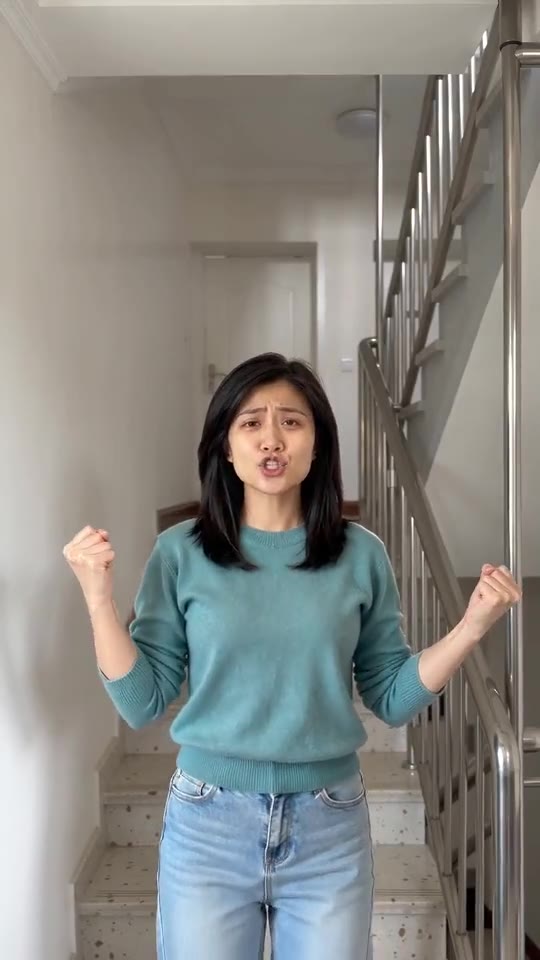
There are only two poses, so the sound has just one place to go wrong. The first four seconds are fists out at shoulder height with a slow sway, at about 4.3 seconds the fists drop to the hips and the shoulders start bobbing, and in the last moment the head tips back. Your sound should change gear at that switch. The video runs 8 seconds, so a sound cut to that length needs no further trimming.
How to add the original sound in TikTok
Short version: download your video, open the original clip in TikTok, tap its sound name, choose Use this sound and add your video. The full tutorial with a video is on the template page.
Questions people ask
Which sound fits?
The one on the @adamlostagain clip; our timing starts from the same 0 seconds.
May I keep the AI music?
Yes. It is new every run and may hold invented vocals.
Does the preview follow the same timing?
No; the 5-second preview moves quicker than the real thing. Real timing comes only with the 8-second video.
Put yourself in the stairwell
One photo gets you 8 seconds of HD video for $8.88 or more. No subscription, and the finished file carries no watermark.
Make my video