Seedance prompt for the Ramalama trend: copy it and go
Updated:
Short answer
Paste the shot list into Seedance, with your photo as image 1, at 9:16 and 12 seconds. Each shot carries its own timestamps and repeats who the lead is, so the face holds across the cuts. Edit the numbers, not the order. A few attempts are usual.
Shot list for Seedance
Reference: image 1 is the lead, face and body. Optional: video 1 is any clip of a confident walk, to borrow the stride.
Format: 9:16, 12 seconds, photoreal. A quiet residential road after dark, black asphalt, orange lamps, trees and hedges.
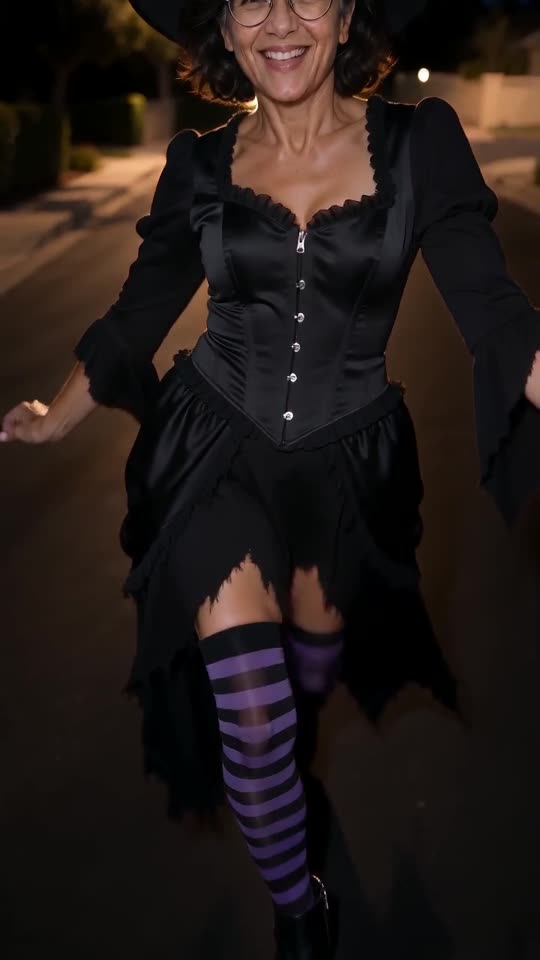
Shot 1 [0-7.5 s] Ground-level view from a phone gliding backwards. The lead from image 1, dressed as a classic witch (pointed black hat, black dress with a ragged hem, black-and-purple striped stockings, pointed black ankle boots), strides toward the camera, one step per beat. Only boots, stockings and hem are visible. No face.
Shot 2 [7.5-8.3 s] Same road, same lead. The camera whips up from the boots to the face and shows the complete costume.
Shot 3 [8.3-10.2 s] Same lead, medium shot. Arms swing as the walk continues, then both hands cup the face and the lead smiles.
Shot 4 [10.2-12 s] Same lead, close-up. A lean into the lens and a big laugh.
Sound: instrumental electro-pop, stomping kick on every step. No singing, no lyrics, no speech.
Exclude: text, captions, logos, watermark.
What is different in Seedance
- Say who the lead is in every shot. Without that line the face can drift at the cuts.
- Seedance follows timestamps closely, so change the numbers if you need to, not the order of the shots.
- If you have a clip of the stride, add it as video 1 for motion. Check the longest length your Seedance option allows before keeping 12 seconds.
Questions people ask
Does this prompt name a song or an artist?
Neither. It asks only for an instrumental beat; the trending sound is added in the app after rendering.
Does it reproduce the trend perfectly?
Not perfectly. Seedance follows the timestamps closely, but faces can still drift between shots, so the identity line is repeated in each one.
Is there a prompt to write on this site?
No. Ozil Goal AI has no prompt box: you add a photo, choose an outfit and press the make button, and the shots are already written.
Strut into your own Ramalama moment
Drop in a photo. Every pack includes bonus previews, so you can check your photos before spending a credit. The finished video has no watermark and nothing renews on its own.
Make my video