How can I get a Wipe Me Down video out of my photos?
Updated:
Short answer
Add photos for the First and Second stomper (one photo twice also works) and Ozil Goal AI builds the kitchen around them. Run a 5-second bonus preview first; the 15-second 720p video then costs 1 credit. There is no prompt, and the page can be closed during rendering.
Walkthrough
- Open the generator from the template page. Both slots need a picture: a First stomper photo and a Second stomper photo, which may be identical.
- Look: pick a kitchen (Blue-grey kitchen is the default; the others are white kitchen, wooden kitchen and living room) and an outfit (your own look, all-black outfits or bright tracksuits).
- Choose the shape. Use 9:16 for TikTok, Reels and Shorts, and 16:9 for YouTube and desktop screens.
- Confirm photo consent by ticking the box, then log in through Google.
- Start a bonus preview (5 seconds, 480p) and look at both faces and the movement.
- Render the full video with 1 credit and save the MP4.
What is already decided for you
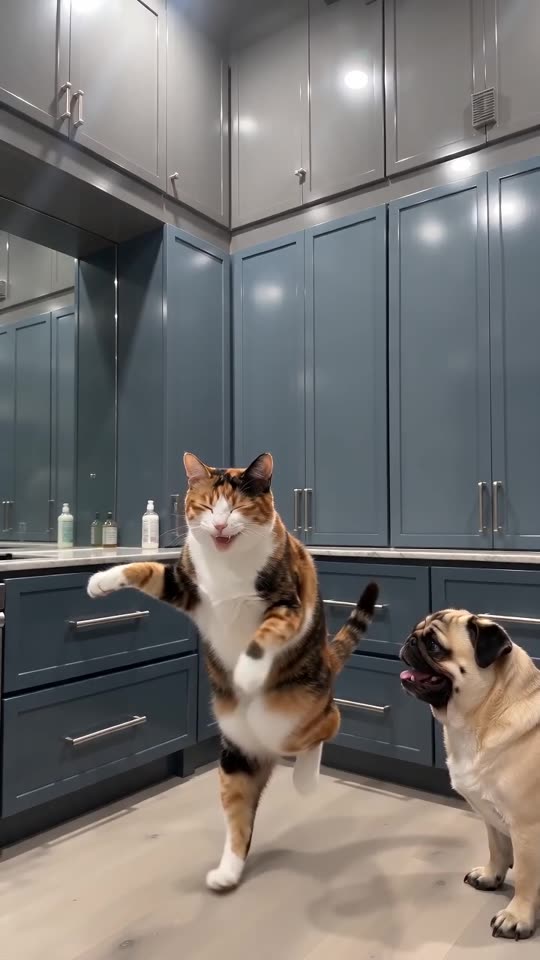
The kitchen, the locked camera, the stomp and the handover are packed into a single scene that tracks the viral clip. There is nothing to write; your photos only decide who plays which part.
Because the moves come in a set order, the trending sound fits if it starts at 0 seconds. Faces, fur and motion still shift a little between runs.
When it is done
The finished video shows up in My videos, ready to download or share by link. For the audio side, read the sound guide.
Ozil Goal AI runs independently and has no connection to the people behind the original clips or the accounts that posted them.
Questions people ask
Must I type a prompt?
No. The fixed setup supplies the kitchen and the camera. You choose photos, kitchen, outfit and shape.
May both roles share one photo?
Yes, and that gives you a clone. Two distinct photos look more natural and are easier to tell apart.
Is it fine to leave the page during rendering?
Yes. The work carries on at our end, and the result is saved in My videos under your account.
Vertical or wide: which one do I choose?
Choose 9:16 if the video is headed for TikTok, Reels or Shorts, and 16:9 for YouTube or a desktop screen. Previews work in both.
Put your two stompers in the kitchen
Two photos get you a 15-second HD video, from $8.88. Nothing to subscribe to, and no watermark on the end result.
Make my video