How to turn one photo into a Driver Put Phone Away video
Updated:
Short answer
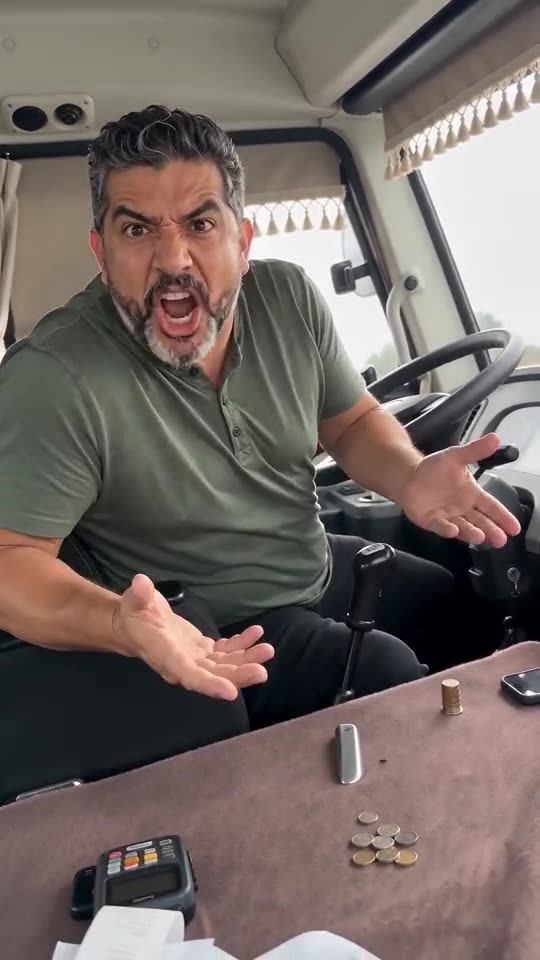
Start with one photo and pick the cab, outfit and light. Every pack includes bonus previews, so you can check your photos before spending a credit. If the face holds up, 1 credit renders the 14-second video; save it and put the sound on in TikTok.
Choose a photo that works
- A single person or pet with a big, sharp face.
- Take off the shades: the head turns to face the camera, and the model needs your eyes to keep the face yours.
- Natural light and no beauty filters.
Sound comes last
Either save the silent file or leave our AI shouting in. After that, open TikTok, look up «убери телефон», pick any sound and press Use this sound.
Questions people ask
Is any editing needed?
None. The file is finished when you download it, apart from a sound if you want one.
How soon is it ready?
A few minutes in most cases. Close the tab if you like; the clip will be waiting in My videos.
What is the video usually for?
Pranks, nearly always, aimed at a friend who can't put their phone down.
Take the wheel: make your own video
Add one photo. Every pack includes bonus previews, so you can check your photos before spending a credit. The finished video carries no watermark. Nothing to subscribe to.
Make my video