How can I put the Driver Put Phone Away sound on my video?
Updated:
Short answer
Expect Russian shouting. In TikTok, search «убери телефон», open a post, tap its sound and choose Use this sound. No single post sets our timing, because the first one is unconfirmed, so trim until the loudest shout meets the hands flying open.
What our file contains
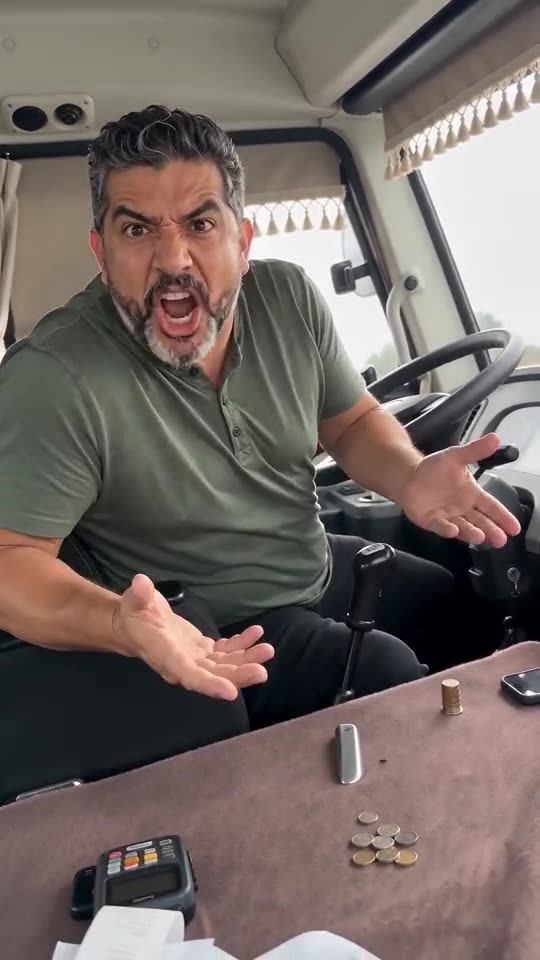
Angry AI-made shouting with no clear words, a low engine hum and some rattling coins. A silent version can be downloaded as well.
When it drifts
- Download the silent version so two sounds don't pile up.
- Trim the sound in TikTok until the loudest shout lands as the driver throws both hands open.
- Try another post's sound; they all differ a little.
Where to aim the shout
The video has one loud moment. The driver glances at the lens, looks away, turns back around three seconds and shouts with both palms up until about 6.5. Aim your shout there. After nine seconds the driver faces forward and calms down, so a sound that keeps shouting to the end feels odd; trim it to fit the 14 seconds or let it die away.
How to add the original sound in TikTok
Short version: download your video, open the original clip in TikTok, tap its sound name, choose Use this sound and add your video. The full tutorial with a video is on the template page.
Questions people ask
Why don't you promise an exact sync?
We follow a cut from a compilation, and nobody has confirmed the first post. With no single original sound to aim at, an exact match would be a guess.
Is the sound explicit?
Swearing features in the Russian originals; your video's shouting has no clear words, so it has none.
Does it have to be that exact sound?
Not at all. Any shouting or comedy sound will do. Line it up with the moment the hands fly open.
Take the wheel: make your own video
Add one photo. Every pack includes bonus previews, so you can check your photos before spending a credit. The finished video carries no watermark. Nothing to subscribe to.
Make my video