What kind of photo works best for this clip?
Updated:
Short answer
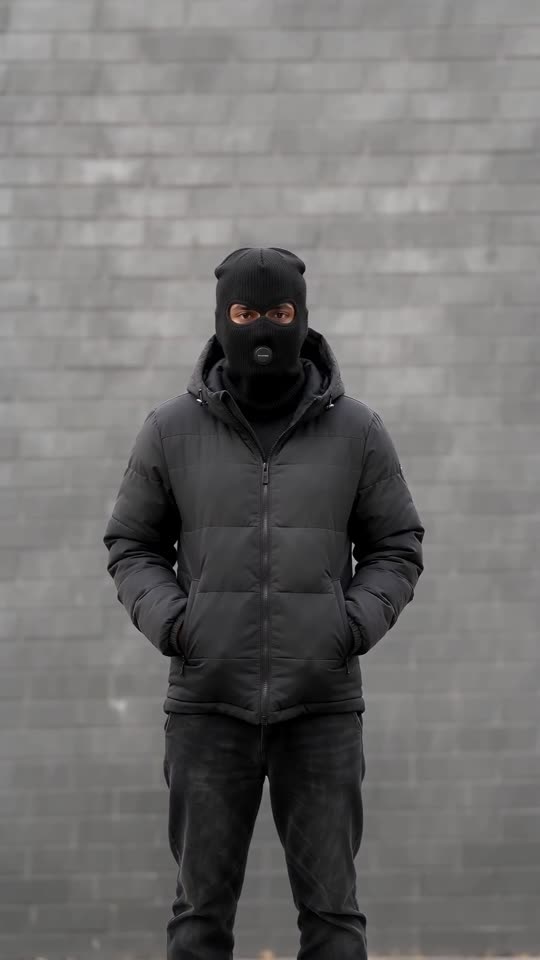
Pick a sharp photo of one adult, ideally head to toe, facing the camera in good light. After the flash only the eyes show, so a clear face matches best. Accepted files: JPG, PNG or WebP, 10 MB or less, 300 to 6000 pixels per side. Pets are refused.
File limits
- File types: JPG, PNG or WebP, at most 10 MB.
- Every side must measure 300 to 6000 pixels.
- Aspect ratio (width to height) from 0.4 to 2.5.
Signs of a good photo
- A single adult who looks at the camera.
- Even light and a crisp face, with no sunglasses and no mask.
- Head-to-toe framing helps, since you stand in full view for the first second.
- Open eyes in view, since the eyes are the one part the balaclava leaves visible.
Whose photo is allowed
Only adults who have agreed. Pets, toys and drawings are not accepted, nor are people under 18, celebrities or famous characters. See the photo consent rules and the acceptable use policy for the full wording.
Common questions
Must the photo be full body?
It is not required, but it helps because you are fully in view during the first second.
Does the background matter?
No. The wall is generated, so whatever is behind you is fine.
How long do you keep my photo?
Photos are held privately and wiped by themselves 14 days after upload.
Your own balaclava flash clip starts here
Send in one photo and get back a 10-second HD clip, priced from $8.88. The full video is watermark-free and nothing renews monthly.
Make my video