Veo prompt: What Stop Sign
Updated:
Short answer
Paste the prompt below into Veo, use your pet photo as the first frame and pick 9:16. Veo can add audio of its own, so export without sound or mute it before the bodycam audio goes on.
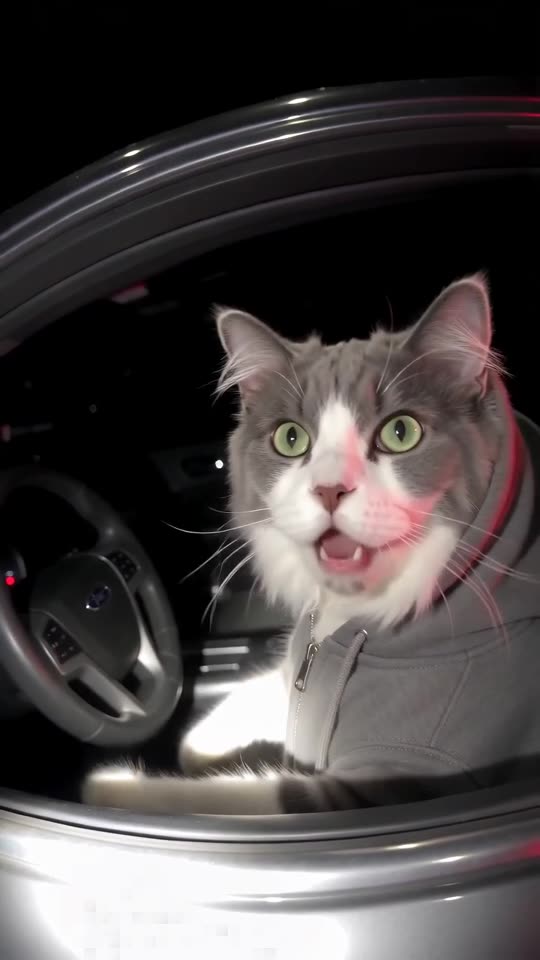
The prompt
Vertical 9:16, about 11 seconds, in the style of police bodycam footage: slightly fisheye, chest height, grainy and handheld, with nobody visible in frame. At night, an ordinary dark sedan idles with its driver's window down while red and blue emergency lights flash somewhere behind it. The DRIVER is the animal from the supplied photo, with the same species, face, fur colours and markings, sitting upright in the driver's seat in a plain grey hoodie, hood up and ears and face showing. For the first two seconds the camera walks up to the window and the DRIVER slowly turns to the lens. From two to five seconds it stares through the window with huge, innocent, clueless eyes and tilts its head. From five to nine it leans toward the window, blinks, looks away as if thinking and then returns the same innocent look. In the last two seconds a flashlight beam hits it and one paw lifts a small blank white card toward the camera. Sound is night ambience only, an idling engine and faint traffic, and nobody speaks or sings: no lyrics, no voices. Photorealistic; keep the frame free of text, plates, badges, logos and any watermark.
Hints
- A sharp, well-lit pet photo does best.
- Stay close to 11 seconds.
Questions people ask
Does Veo hold on to a pet's markings?
Often, as long as the photo is crisp and well lit.
Do I need the 9:16 setting?
Yes. Pick vertical 9:16 so the framing matches the trend.
Should I mute the result?
If you plan to add the bodycam sound, yes. Two audio tracks clash.
Get your own pet pulled over
One pet picture starts it. Every pack includes bonus previews, so you can check your photos before spending a credit. Pay per video, never by the month.
Make my video